Everything you can’t stop checking,
on your wall.
TickrCast is a real LED ticker that scrolls the scores, weather, streams, and moments you can’t stop checking, always on, glanceable, no phone required.
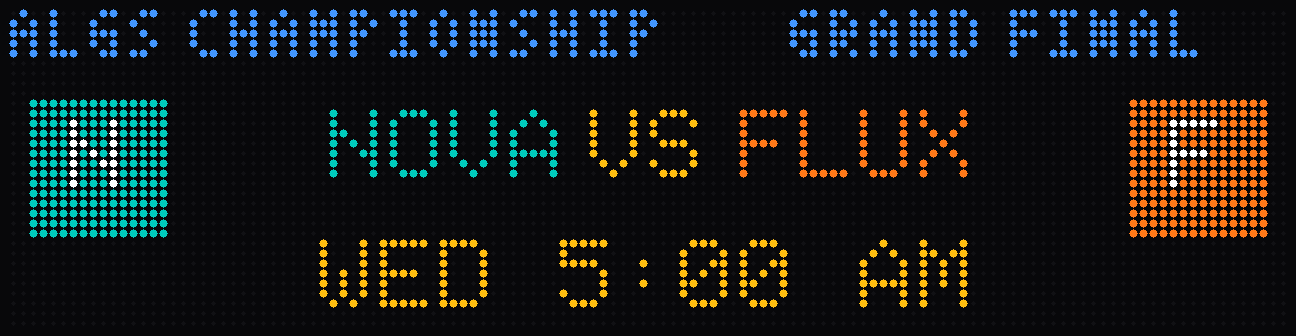
- Esports matchup: NOVA versus FLUX, starts Wednesday 5:00 AM.
- Live football score: STORM 27, BLAZE 20, 4th quarter 2:41 to play, 2nd and 10.
- Weather in Austin: 72 degrees, sunny, high 78, low 61.
- Flight TC 482, JFK to LAX, on time, estimated arrival 5:42 PM.
Backers first, then the store.
Kickstarter backers are already in the production queue and go out ahead of every store order. Order today and you join the queue behind them.
Backer units ship ahead of every store order, in the October and December production waves, in backer order.
You’ll get tracking the day it ships.
It’s a ticker, not a screen.
Think of the ribbon of scores under a sports broadcast, but it’s yours, on your wall, showing whatever you care about. Your data scrolls across the panels as one continuous ribbon. More panels just make the ribbon wider.
Pick what it shows
Scores, weather, your stream, esports, your 3D print, choose from the plugin library and arrange it your way.
It scrolls, always on
Content glides across the LED panels in a continuous crawl. Glance at it like a clock, no unlocking a phone.
Start small, grow wide
Start with a single panel. Add more whenever you want a wider display, the ribbon just gets longer.
Want it to show something we don’t? Describe it.
TickrCast plugs into the AI you already use. Through our MCP, point Claude, ChatGPT, or any AI assistant at TickrCast, describe what you want on your ticker, and it writes the plugin and publishes it to the marketplace. No coding.
- 1
Describe what you want
In plain English, to the AI, a team, a stat, a data source.
- 2
The AI builds it
It writes the plugin against our platform (the TickrCast MCP), with a live preview.
- 3
Publish to the marketplace
One step, the finished plugin lands in the TickrCast marketplace.
- 4
Install it on your panel
Add it from your dashboard and it starts scrolling on your wall.
Scores. Weather. Whatever you’re obsessed with.
A growing library of plugins, and if it’s not there, build it with AI.
Command your wall from anywhere.
Pair your display in minutes, then every panel, plugin, and pixel is one tap away. Phone, tablet, or any browser. Same control, everywhere.
From box to wall in minutes
Guided setup handles Wi-Fi, linking, and your first plugin before your coffee cools.
Pair with a 5-digit code
The panel shows a code, you type it in the app, and the display joins your account. That’s the whole ceremony.
Make every plugin yours
Pick your team, choose what shows, hit save. The panel follows in seconds.
Dial it in, live
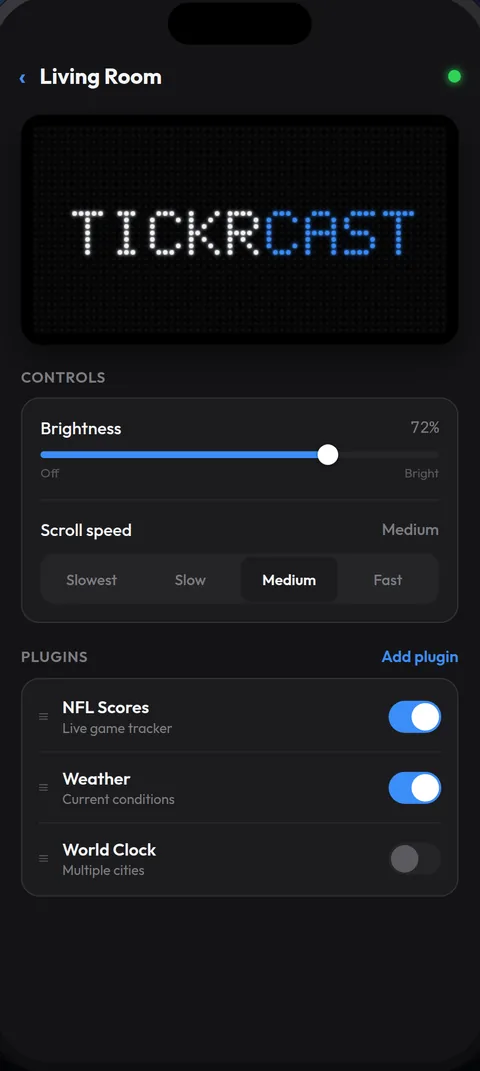
Brightness, scroll speed, and plugin order. The wall updates while your thumb is still on the slider.
Every display, one glance
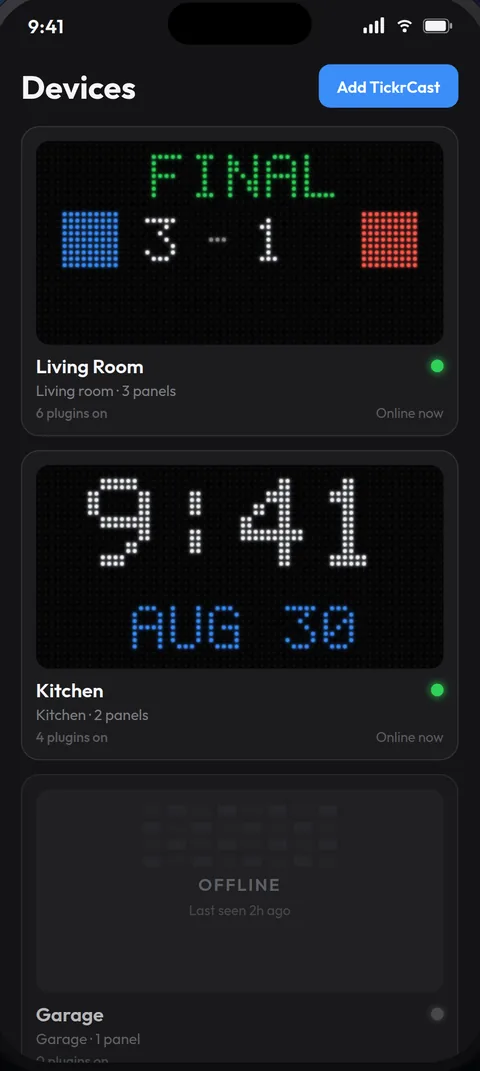
See every TickrCast in the house, what it’s showing right now, and whether it’s online.
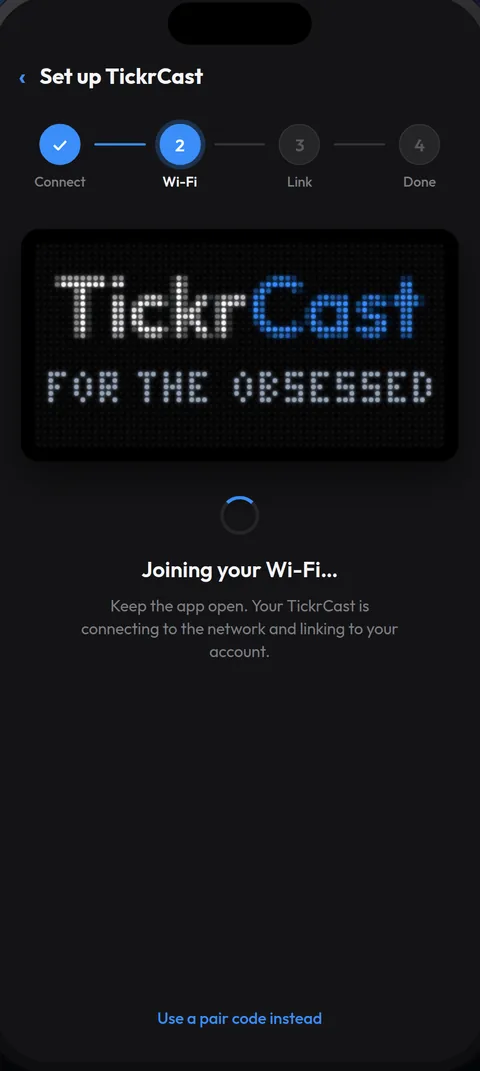
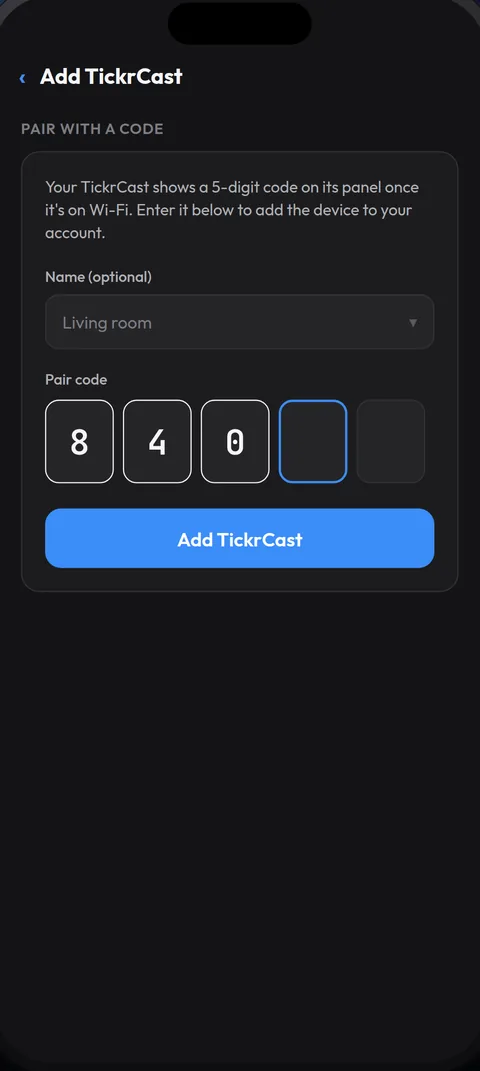
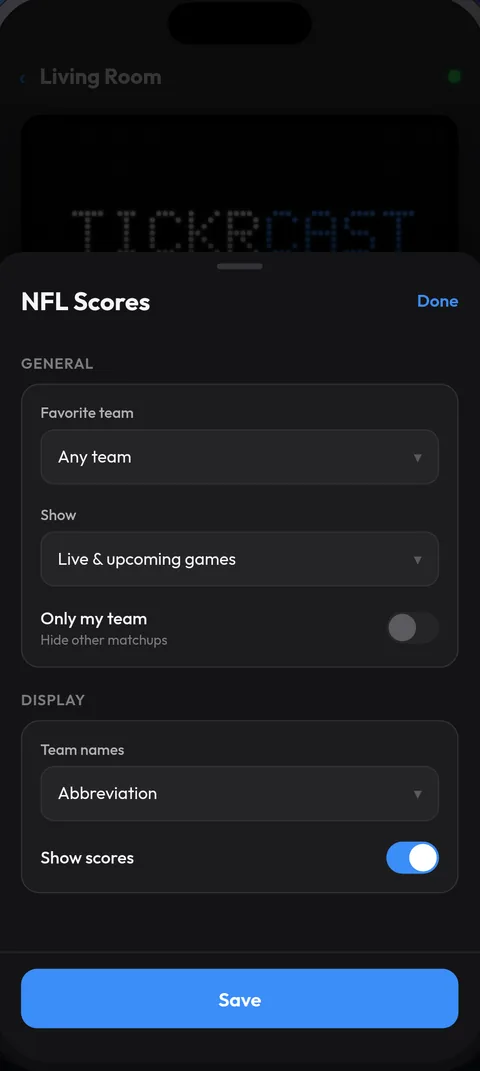
Free with every TickrCast display. iPhone and Android.
Real hardware. Real data. On a real wall.
Start at one panel. Grow to 8.
Every build ships as a complete unit: the LED panels, the controller that drives them, the enclosure and the power supply. Add panels later and the ribbon just gets wider.
Convert it.
The Glance Conversion Kit turns the Glance hardware you own into a TickrCast panel. You keep the unit; the kit is the controller board and cable that bring it onto TickrCast, and it credits your account with a panel.
See the Glance Conversion Kit →Expansion takes only a screwdriver — no power tools.
We use local storage and essential cookies to keep you logged in and remember your preferences. During our crowdfunding campaign we also run the Meta Pixel, a third-party advertising cookie you can opt out of. See our Cookie Policy for details.